
When comparing Shure MV7+ vs MV7, the upgrade decision hinges on your specific use case. This comparison covers every meaningful difference between the two mics: sound quality, build, controls, connectivity, and which type of podcaster should choose each one. If you already own an MV7 and are wondering whether to upgrade, there’s a specific answer for you at the bottom.
Quick Verdict
Shure MV7 vs MV7+: Side-by-Side Comparison
Our Top Picks


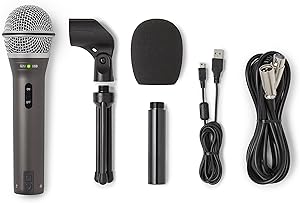
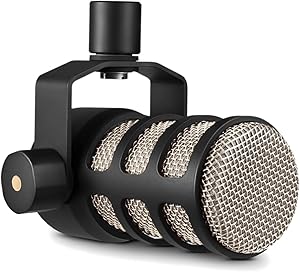
| Shure MV7+ | Shure MV7 | |
|---|---|---|
| Price | ~$279 | ~$199 |
| Capsule Type | Dynamic (redesigned) | Dynamic |
| Connectivity | USB-C + XLR | USB-A + XLR |
| Physical Controls | Touch panel (gain, headphone volume, mute) | None (app only for USB gain) |
| Voice Modes | Natural, High Pass, Presence Boost | None (app EQ only) |
| Headphone Monitoring | 3.5mm jack, touch-controlled volume | 3.5mm jack, app-controlled volume |
| App Required | Optional (ShurePlus MOTIV Desktop) | Required for USB gain adjustment |
| Colors | Black, White, Silver | Black, White, Red, Silver |
| Frequency Response | 50Hz–20kHz | 50Hz–16kHz |
Sound Quality: How Much Did the Capsule Change?
The most important upgrade in the MV7+ is the capsule. The original MV7 has a characteristic upper-midrange peak around 3–4kHz that gives voices a slightly aggressive, forward quality. It’s not unpleasant, but most recording engineers apply a gentle cut in that range to smooth the sound in post. The MV7+ addresses this at the source — the redesigned capsule has a warmer, fuller low-mid body and a more gradual high-frequency rolloff that extends to 20kHz versus the original’s 16kHz.
In practical terms: the MV7+ sounds more like a broadcast mic out of the box. The MV7 sounds slightly thinner and brighter. Both mics are dynamic, so neither will pick up room noise the way a condenser would — but the MV7+ gives you a more polished result without post-processing.
Controls: Touch Panel vs App-Only
If you own the original MV7, the Shure MV7+ vs MV7 upgrade is rarely essential unless you need voice isolation. This is where the MV7+ makes the biggest practical difference. On the original MV7, adjusting your gain via USB requires opening the ShurePlus MOTIV Desktop app on your computer, navigating to the gain slider, and making adjustments there. If you’re the type of podcaster who sets gain once and never touches it, this is a non-issue. But if you regularly record in different environments — a quiet home office versus a louder coffee shop backup location, or if you have multiple hosts at different volumes — the MV7+’s touch panel is meaningfully better.
The Shure MV7+ vs MV7 both ship with the same physical profile and connect using ShurePlus MOTIV app. The touch panel on the MV7+ handles three things: swipe left/right for gain adjustment, swipe up/down for headphone monitor volume, and tap the center to mute. It’s intuitive and fast. The mute function alone justifies the upgrade for anyone who regularly needs to cut audio mid-recording without reaching for software.
Voice Modes: Do They Matter?
The three voice modes — Natural, High Pass, and Presence Boost — are set via the ShurePlus MOTIV Desktop app but stored in the mic’s onboard memory. Once set, the mode is active even without the app open.
Natural is the flat default. High Pass engages a low-end rolloff below approximately 100Hz, which is useful in rooms with mechanical rumble, HVAC noise, or hollow desk resonance. Presence Boost adds a subtle lift in the upper-midrange (around 5kHz) that adds clarity and air to voices that sound recessed or muffled on a dynamic mic — particularly useful for deeper voices in smaller rooms.
The original MV7 has no equivalent. You can approximate the effect with the MOTIV app’s built-in EQ, but the voice modes in the MV7+ are faster to configure and work without the app open. For podcasters who don’t touch DAW software or post-processing, the voice modes are a practical differentiator.
Should Existing MV7 Owners Upgrade?
In most cases, no. If your MV7 is working correctly and you’re happy with your audio, the MV7+ doesn’t offer improvements that will be noticeable to your listeners. The capsule upgrade is real but subtle — most audiences can’t tell the difference between a well-recorded MV7 and a well-recorded MV7+.
The upgrade makes sense if: (1) your MV7 has developed hardware issues like crackling or connection problems with the Micro-USB port; (2) you frequently need to adjust gain on the fly and find the app requirement frustrating; or (3) you’re building a new setup from scratch and the MV7+ is within budget. For existing owners who are satisfied with their sound, the money is better spent on acoustic treatment, a better boom arm, or a good audio interface.
Our Verdict
The MV7+ delivers a more refined capsule, hardware touch controls, and three voice modes. If you’re buying new, it’s the right call. The original MV7 remains a solid performer — especially when found on sale for 50–60 — and loses nothing in XLR mode.
Shure MV7+
8.5/10
Best overall pick
Shure MV7 (Original)
7.5/10
Best value on sale
FAQ: Shure MV7 vs MV7+ Differences
Is the Shure MV7+ backward compatible with MV7 accessories?
No. The MV7+ uses a different mounting system. The included desktop stand and threading are not interchangeable with the original MV7 stand. Both mics use standard boom arm threading (5/8-inch), so any boom arm works with both.
What are the key differences between the Shure MV7 and MV7+?
The MV7+ adds Bluetooth connectivity for direct phone or tablet recording, a dual-headphone output for real-time monitoring, and improved preamps. Both share the same cardioid dynamic capsule and USB/XLR dual output, but the MV7+ costs around $50–70 more. If you record only from a computer, the original MV7 is hard to beat at its price.
Is the Shure MV7+ worth the upgrade from the MV7?
It depends on your workflow. If you record mobile content via phone or tablet, the MV7+’s Bluetooth is a genuine advantage. For desktop-only podcasting, the original MV7 delivers nearly identical audio and saves you money. Most users who already own an MV7 won’t notice enough sonic difference to justify the upgrade cost alone.
Does the MV7+ sound noticeably better than the MV7?
Yes, but subtly. The redesigned capsule produces a fuller low-mid response and a smoother high-frequency extension. The difference is more noticeable in USB mode; in XLR mode with a clean preamp, both mics perform excellently and the gap narrows.
Can I use both the MV7+ and MV7 via XLR with the same interface?
Yes. In XLR mode, both mics behave identically — they’re passive dynamic microphones that work with any standard XLR preamp. The voice mode selection on the MV7+ persists in XLR mode as well.
Which mic is better for streaming on Twitch or YouTube?
The MV7+ is the better choice for streaming specifically because the touch panel allows instant mute and gain adjustments during a live broadcast without alt-tabbing to software. The mute tap on the touch panel is fast enough to use mid-sentence.
Related reading: Shure MV7+ Review: The Upgraded USB/XLR Podcast Mic That Gets Everything Right · USB vs. XLR Microphones: The Complete Guide to Choosing Your Podcast Setup · Blue Yeti vs. Better Alternatives: What We Recommend Instead (And Why)